
Builder cash flow management
Cash flow management for residential builders
Costs on a residential build run every week. Payments arrive five or six times across the job. The gap between the two is the part most builders cover from their own account, and it is the part most cash flow tools only report on.
Most cash flow advice for builders is about forecasting: a better spreadsheet, a sharper view of what is coming in and going out. Forecasting helps you see the gap. It does not close it. The gap exists because of how the money is structured, and on most residential jobs the structure is that the builder finances the build between stages.
This page sets out where builder cash flow actually breaks on a residential job, what software can and cannot change about it, and how BuildFair moves the outgoings for each job onto that job's own funds.
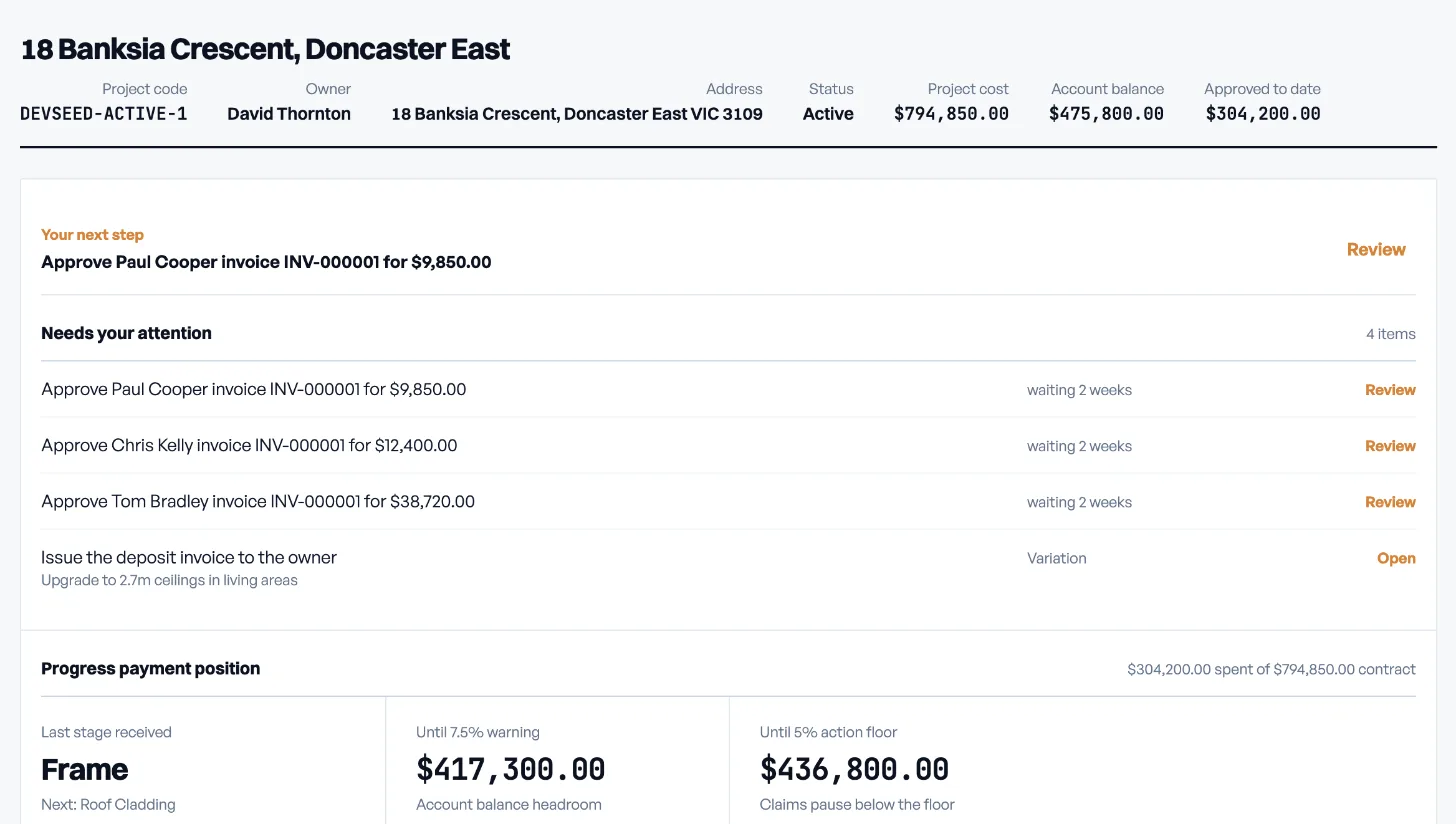
Where builder cash flow breaks
Builders rarely run short because a job is unprofitable. They run short because of timing. Four patterns account for most of it.
Trades are paid before the stage is
The frame carpenters finish weeks before the frame progress payment clears. Somebody pays them in the meantime, and in the current system that somebody is the builder.
Overheads do not wait for stages
Wages, vehicles, insurance and the office run every week regardless of where any job is up to. When a stage slips, the overheads still land on schedule.
One account funds every job
Stage payments from every project land in the same operating account. A delay on one job becomes a shortfall on all of them, and the order bills get paid in is decided by whoever is chasing hardest that week.
Disputed claims stall everything behind them
A progress claim that goes out without its evidence comes back with questions. While the answers are found, the trades on that stage are still waiting and the builder is still carrying them.
What software can and cannot change
Accounting and job costing software give you a clear picture of the gap. That is worth having. But the gap itself comes from where the money sits: owner payments become builder money the moment they land, and every outgoing for every job competes for the same balance.
Software changes builder cash flow only if it changes which account the outgoings for a job come from. If the trades, suppliers and a set overhead for the job are paid from money already set aside for that job, the builder's own balance stops being the float. The stage schedule in the contract does not have to change at all.
How BuildFair handles builder cash flow
The same four patterns, handled from the project's own funds.
Each job has its own project account
Owner deposits and progress payments are held in a project account with our banking partner Kobble (AFSL 545391, Yondr Money Pty Ltd), separate from your operating account and from every other job.
Trades and suppliers are paid from that account
Approved subcontractor invoices are paid from project funds seven days from approval. Suppliers are paid from the same account. Your savings, overdraft and personal credit stop being the float for the job. See subcontractor payment software for how that run works.
A fixed weekly overhead draw
You set a weekly overhead amount at quote time. Once the owner accepts, it is locked and paid to you from the project account every week, so business costs do not depend on when the next stage lands.
Claims go out with their evidence
Every invoice on the project carries photo evidence of the work or the delivery. When you raise a stage claim, that evidence goes with it, so the owner reviews the work rather than asking for it.
Builder cash flow, two ways
| The current system | On BuildFair | |
|---|---|---|
| Where owner payments land | The builder's operating account, pooled with every job. | A project account held with Kobble, separate for each job. |
| Paying trades between stages | Funded from savings, overdraft or supplier credit. | Paid from project funds seven days from invoice approval. |
| Business overheads | Covered personally until the next stage clears. | A fixed weekly draw from the project account, set at quote time. |
| A slipped stage on one job | Becomes a shortfall across every job. | Stays on that job. Other projects keep their own funds. |
| Claim disputes | Evidence gathered after the question is asked. | Evidence attached to every invoice as the work happens. |
How BuildFair changes this
Managing a residential build? See how BuildFair manages construction payments, so owners, builders, and trades all work from the same record of what has been claimed, approved, and paid.
For builders
Run jobs without bankrolling them out of your own account
Progress payment software
Claim, approve, and release staged payments in one place
Subcontractor payment software
Evidence, quote caps, and a fixed seven-day payment clock
Pricing
Role-based plans with builder pricing tied to annual project count
FAQ
Frequently asked questions
Does this change my contract's payment schedule?
No. The stages and percentages stay as negotiated. What changes is which account the job's outgoings are paid from between stages. See payment schedule explained.
How is the weekly overhead amount set?
You set it at quote time as part of your quote. Once the owner accepts, it is locked and drawn weekly from the project account.
Does BuildFair hold the money?
No. Project funds are held by our banking partner Kobble, which operates under AFSL 545391 (Yondr Money Pty Ltd). BuildFair records every movement in a double-entry, hash-chained ledger. See how BuildFair keeps project funds safe.
Is this a loan or finance product?
No. BuildFair does not lend money. The job's outgoings are paid from the owner's funds already deposited for that job, under rules both parties agree to.
See where your cash gaps land
Bring a live job and its stage schedule and we will show you which outgoings move onto project funds. Book a BuildFair demo, or see BuildFair pricing plans first.
Last reviewed